Welcome to the Study!
Thank you for your interest in our study. The goal of this study is to investigate whether the number of sectors in a circular bar chart affects how accurately people can estimate the percentages represented by those sectors.
The study takes approximately 10–15 minutes to complete, depending on your pace.
During the study, you will see a series of circular bar charts. In each chart, one sector is marked with a black outline. This is the sector you should evaluate. Your task is to estimate the percentage represented by the dark blue fill within this outlined sector. Your estimate should be between 0% and 100%.
The chart has an empty area in the middle. This central hole itself does not depict any percentages. The percentage of the dark blue fill level starts at 0% directly on the outline of the hole.
A value of 0% looks like this:
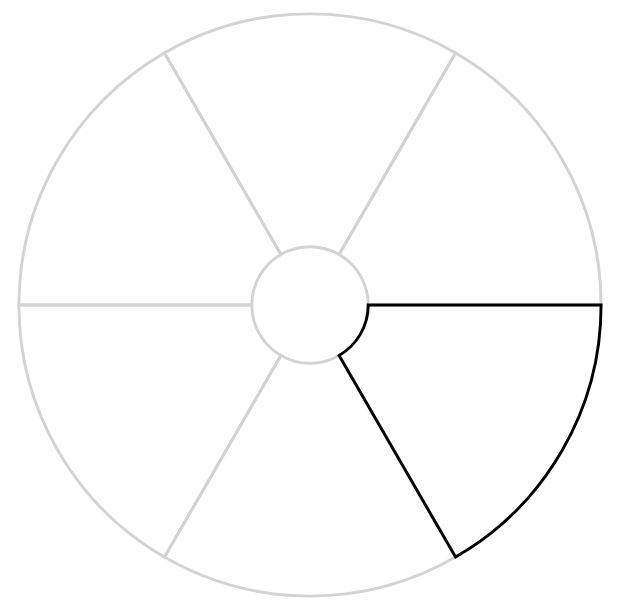
At 0%, no dark blue fill is visible within the outlined sector.
A value of 100% looks like this:
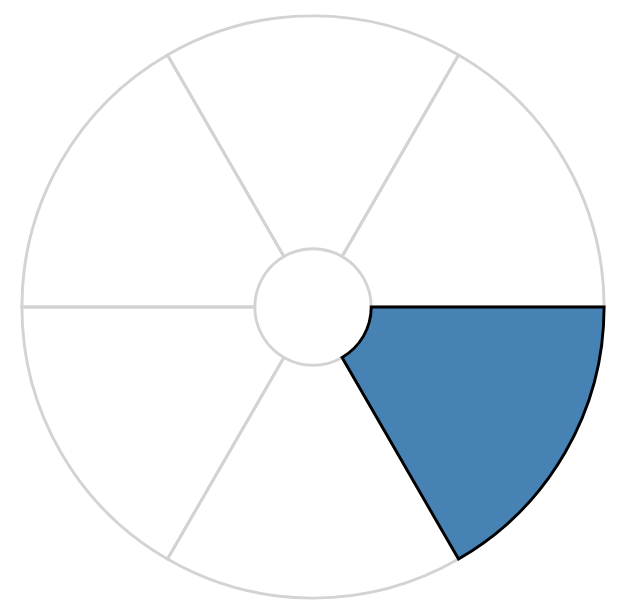
In the examples above, the relevant sector appears in the same position. During the study, however, its position will change. Always identify the sector with the black outline before estimating its percentage.
The total number of sectors in the chart will also vary from one chart to another.
To submit your estimate, enter a value in the text field and either click the "Submit" button or press Enter on your keyboard.
Please enter whole numbers only. Make a quick visual estimate and work as quickly as you can.
Do not try to measure the value precisely, either mentally or by using a physical object such as a pencil or your finger.
To ensure that the charts are displayed at the same physical size for all participants, you first need to calibrate your screen.
Take a standard bank card, ID card, or another card of the same size (85.60 mm × 53.98 mm / 3.370 in × 2.125 in). Hold the card against your screen and drag the gray handle on the right until the rectangular outline matches the shorter side of the card as closely as possible.
On the next slide, the study starts with the usual study questionaire. Are you ready?
Preliminary questionaire
Please answer the following questions. The answers allow a better comparison of the study results with other studies.
Thanks a lot! Ready? Then click the "Next" button to start the actual study!
Thank you for your participation!
The following link will redirect you to Prolific and complete the study: Back to Prolific
Small Break!
The number of sectors will change now! Take a short break of half a minute. Relax a bit, then click the button and continue the test.